

How to setup Deeptrace?
Once your workspace is configured, follow these two steps to integrate Deeptrace:Step 1: Navigate to the onboarding page
Login/Setup your account
Login/Setup your account
Click here to log in to your new workspace. You’ll be guided through our authentication flow with Clerk.
Follow the onboarding link
Follow the onboarding link
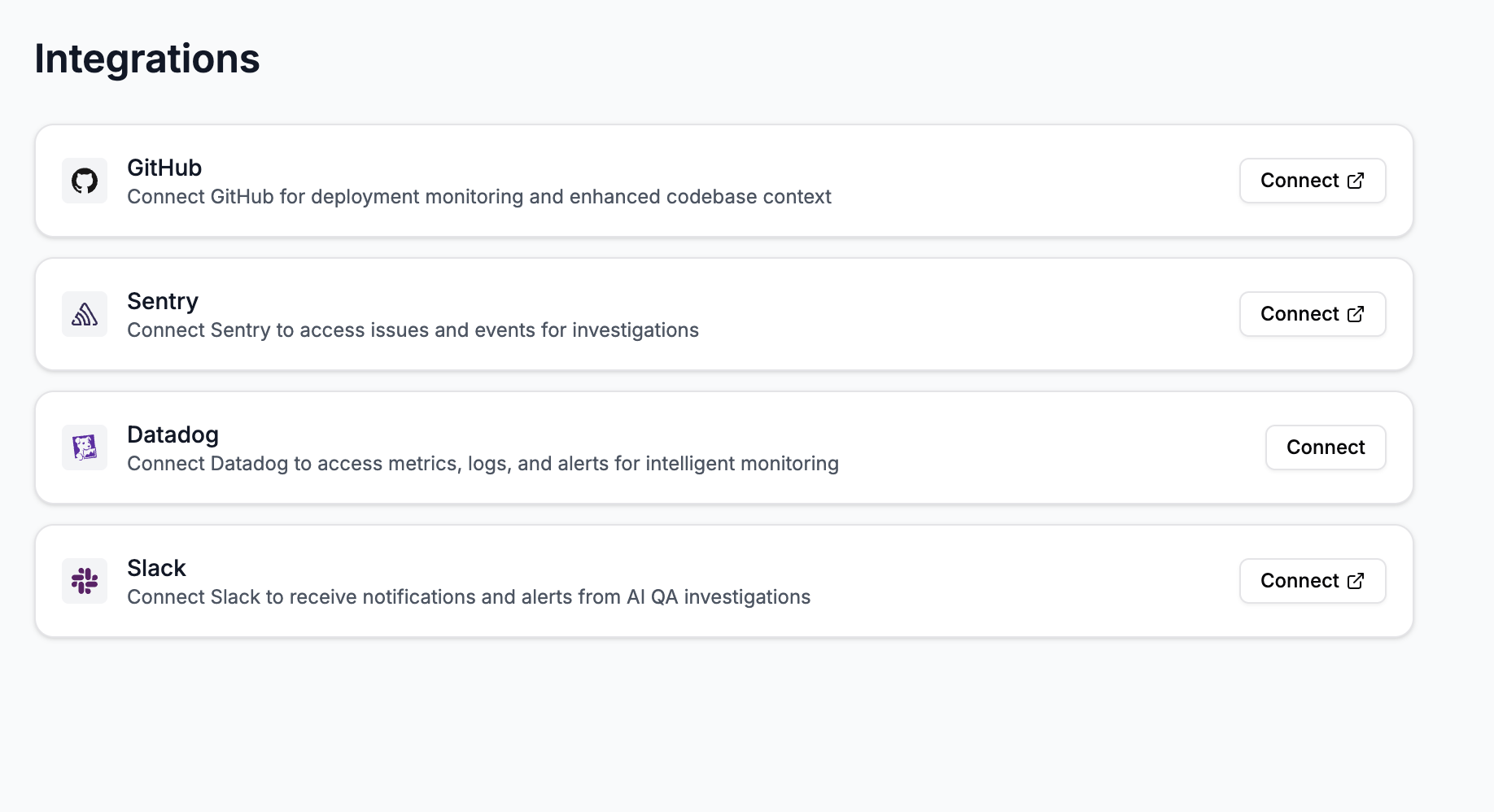
Step 2: Connect your Integrations
Deeptrace integrates seamlessly with your existing observability stack (Datadog, Sentry, Grafana, and more). Connecting your observability tools allows Deeptrace to build complete root cause summaries with all relevant data under one roof.GitHub
GitHub

Purpose: Connect GitHub so Deeptrace can link alerts to commits, pull requests, and deployment changes.
- Click “Connect” next to GitHub.
- Follow the GitHub OAuth flow to authorize Deeptrace and select the relevant repositories you’d like Deeptrace to analyze. Once you see a success redirect screen, you’re done!
Slack
Slack
Purpose: Bring Deeptrace directly into your dedicated Slack channel for engineering alerts

- Click “Connect” next to Slack and complete the OAuth flow. (the channel you choose here doesn’t matter as you can add/remove Deeptrace to any channel)
- In your alert channel, type @Deeptrace to invite the agent into the channel.
Sentry
Sentry
Purpose: Let Deeptrace access issues, events, and traces for smarter root cause analysis.

- Click “Connect” next to Sentry.
- Complete the OAuth flow and deselct Sentry Seer. Once redirected, the integration is live.
Datadog
Datadog
Purpose: Enable metric, log, and trace correlation for full-stack investigations.

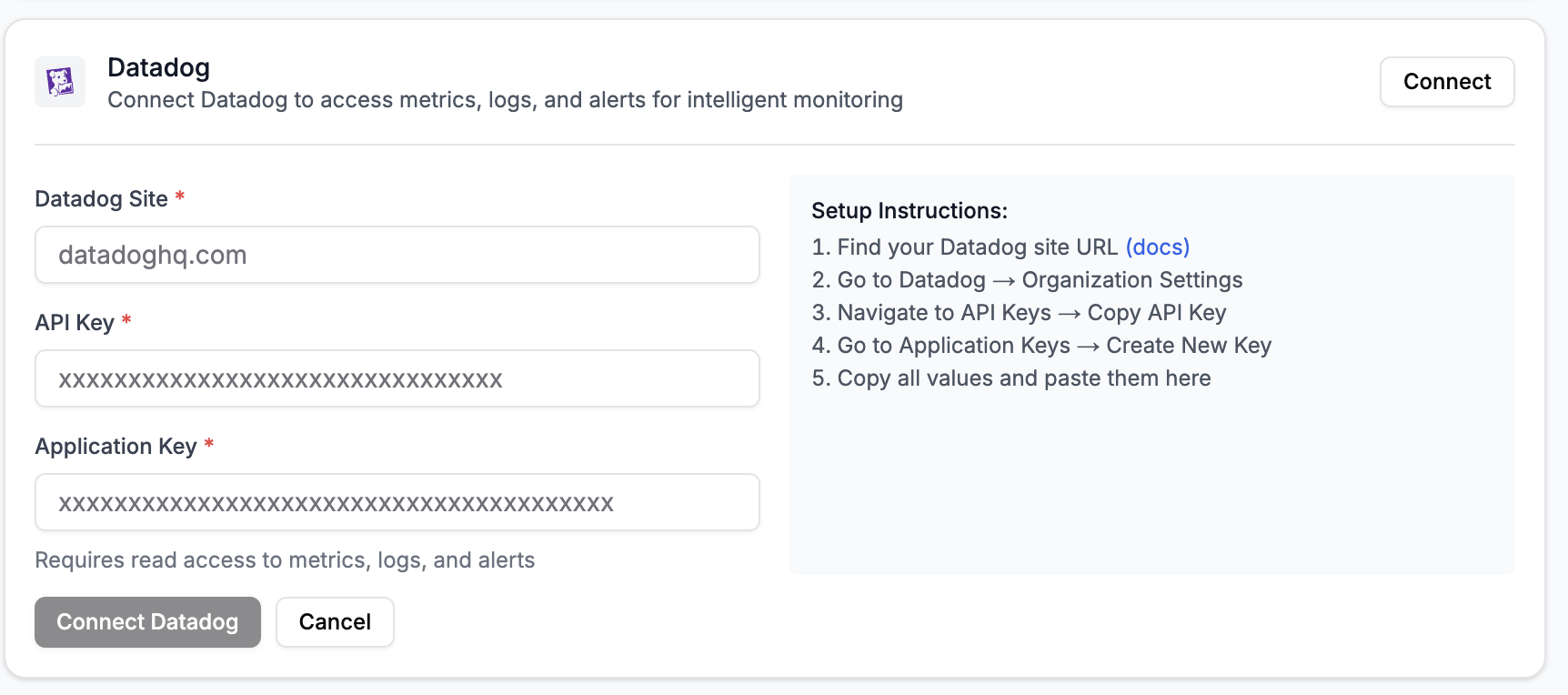
- Click “Connect” next to Datadaog.
-
Follow the setup instructions in your Datadog workspace as detailed below.
Note: Add these scopes to your Datadog App Key:
apm_read,dashboards_read,logs_read_data,logs_read_index_data,metrics_read,timeseries_query,monitors_read,rum_apps_read(if you use rum)
PagerDuty
PagerDuty
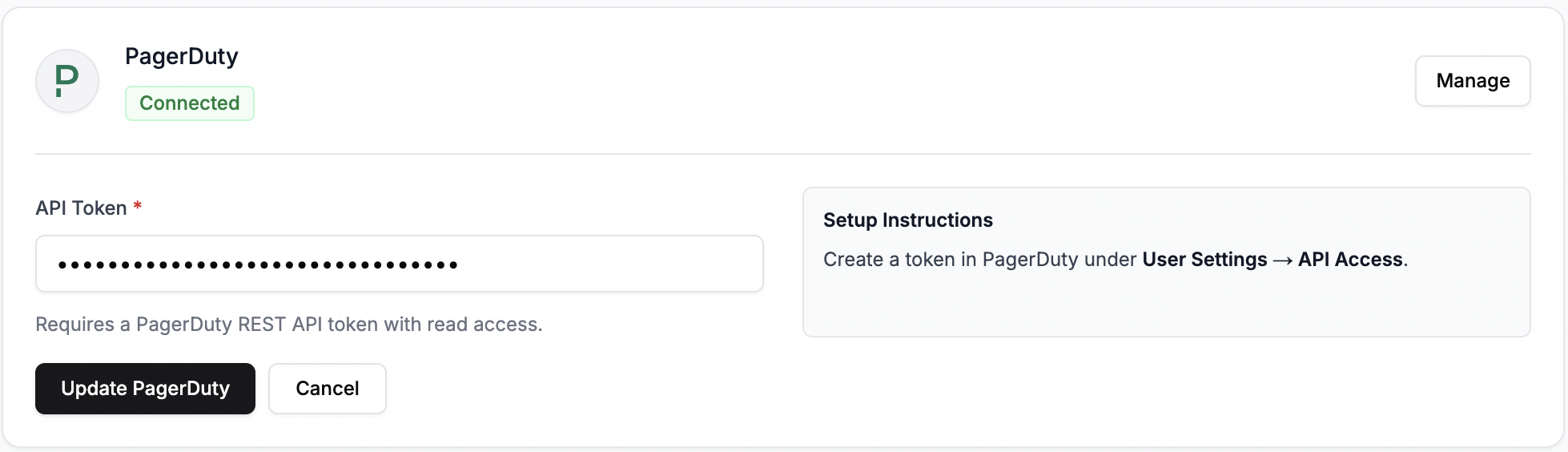
Prerequisite: Your team is on a paid PagerDuty plan.
- Click Connect next to PagerDuty
- Create a new API Access key and enable Read Only permissions
- Copy and paste this into the Deeptrace UI.
Dont’t see your integration listed?We’re actively expanding support for the entire enterprise observabillity and collaboration ecoystem. Reach out to [email protected] if you’d like to request a new integration!
Next steps
Now that you have your integrations, learn how to engage with Deeptrace in Slack and explore its key features!Need help? Contact us at [email protected]