> ## Documentation Index
> Fetch the complete documentation index at: https://docs.deeptrace.com/llms.txt
> Use this file to discover all available pages before exploring further.
# Changelog
> Deeptrace product updates and announcements
### Owner Attribution
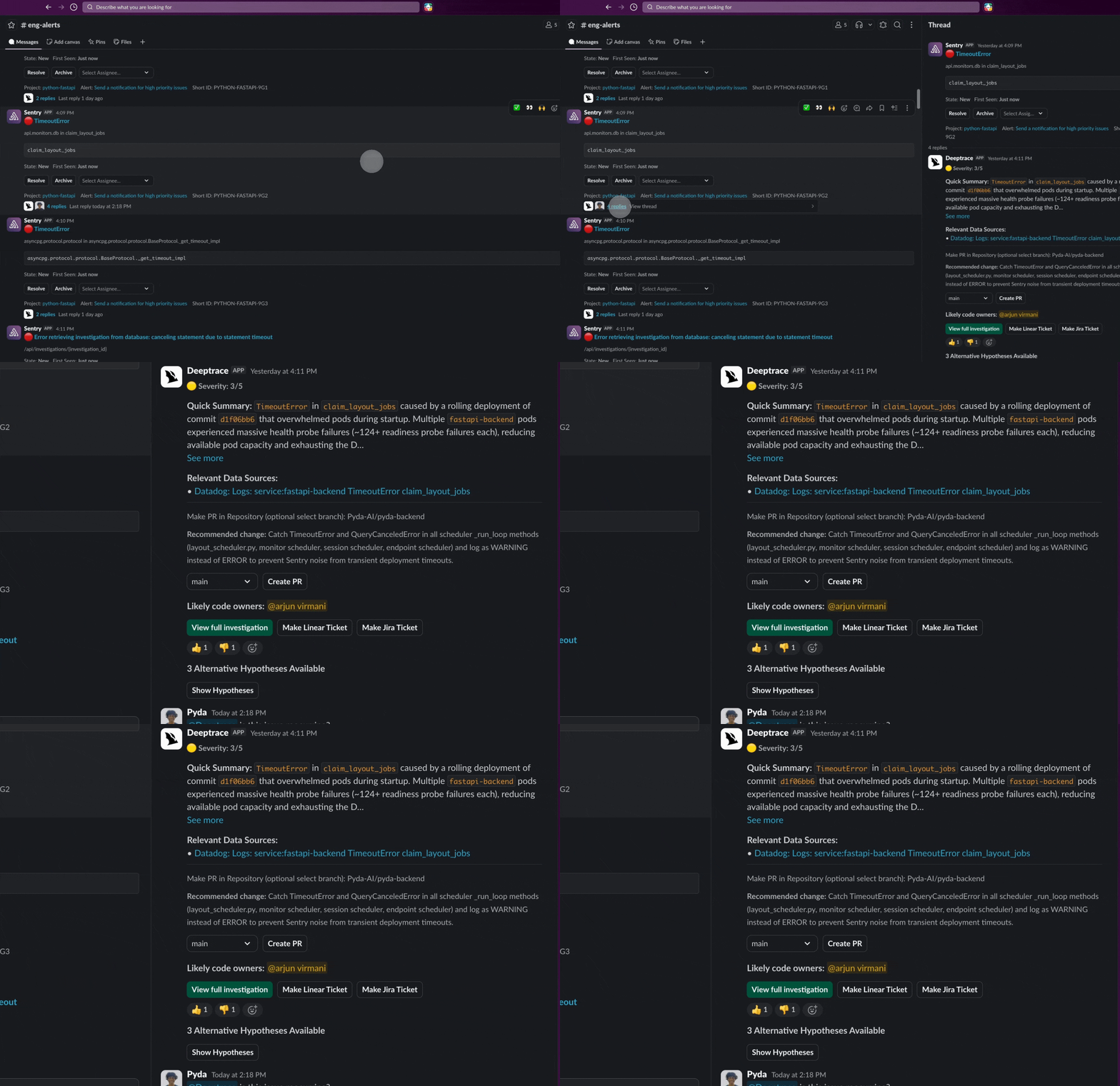 Owner Attribution automatically identifies the engineers most likely responsible for an issue at the individual or subteam level (using git blame, CODEOWNERS files, and recent commit history) and surfaces them in the UI and Slack messages. Likely Owners appear after an investigation is completed in Slack and on the Issues Page. You can also use the `{{code_owners}} `template variable in escalation rules to route alerts directly to attributed owners. Enable Owner Attribution in [Settings](https://app.deeptrace.com/settings).
If your team has ownership conventions beyond what CODEOWNERS covers, define them in your [**Workspace Editor**](https://app.deeptrace.com/workspace) files. For example, adding ownership mappings to your `deeptrace.md`.
### Channel Auto-Join
Owner Attribution automatically identifies the engineers most likely responsible for an issue at the individual or subteam level (using git blame, CODEOWNERS files, and recent commit history) and surfaces them in the UI and Slack messages. Likely Owners appear after an investigation is completed in Slack and on the Issues Page. You can also use the `{{code_owners}} `template variable in escalation rules to route alerts directly to attributed owners. Enable Owner Attribution in [Settings](https://app.deeptrace.com/settings).
If your team has ownership conventions beyond what CODEOWNERS covers, define them in your [**Workspace Editor**](https://app.deeptrace.com/workspace) files. For example, adding ownership mappings to your `deeptrace.md`.
### Channel Auto-Join
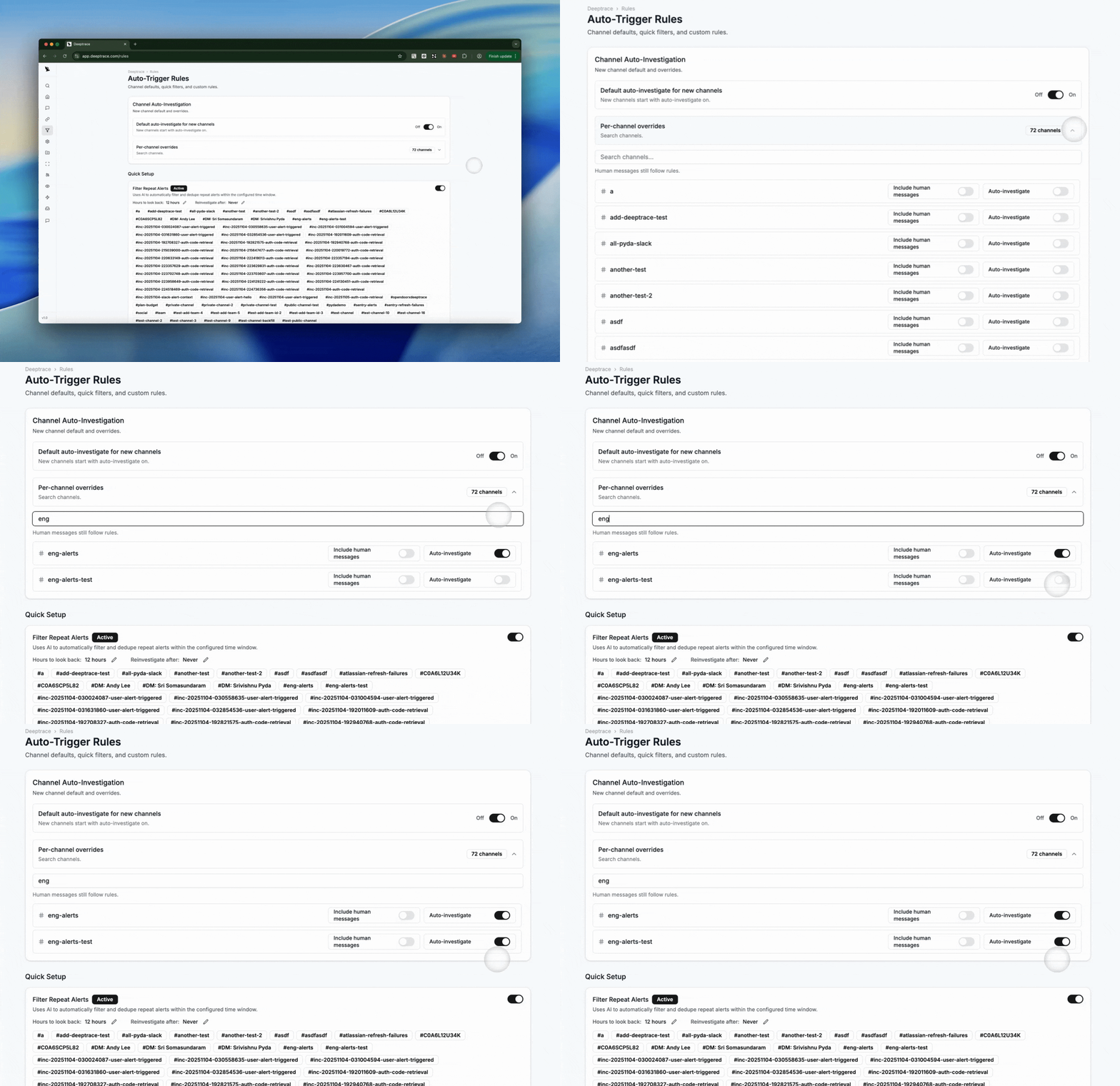 [Channel Auto-Join](https://app.deeptrace.com/rules) lets Deeptrace automatically join new Slack channels that match name patterns you define and immediately kick off an investigation. This is designed for teams that use auto-created incident channels (e.g.`inc-` , `sev0` , `sev1`) and want Deeptrace responding from the moment the channel is spun up. To configure auto-join, navigate to the Rules page and input the channel name patterns you want Deeptrace to watch out for.
### Actions
[Channel Auto-Join](https://app.deeptrace.com/rules) lets Deeptrace automatically join new Slack channels that match name patterns you define and immediately kick off an investigation. This is designed for teams that use auto-created incident channels (e.g.`inc-` , `sev0` , `sev1`) and want Deeptrace responding from the moment the channel is spun up. To configure auto-join, navigate to the Rules page and input the channel name patterns you want Deeptrace to watch out for.
### Actions
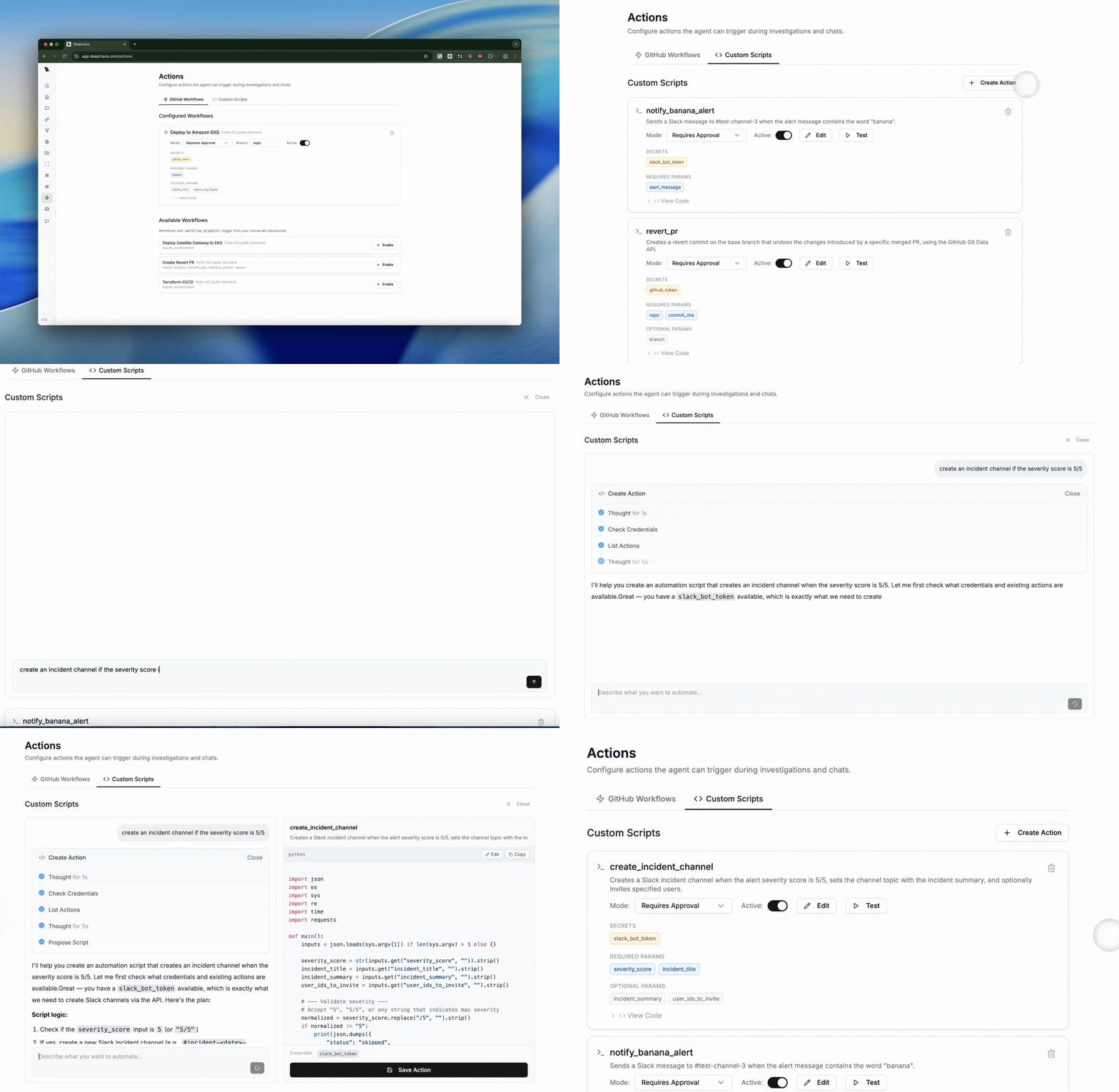 [Actions](https://app.deeptrace.com/actions) let you connect your team's GitHub Actions workflows and custom automation scripts to Deeptrace, so you can trigger deployments, revert PRs, run remediation scripts, or create incident channels directly from the UI in a single, natural language prompt.
Enable workflows from the **GitHub Workflows** tab, or author new scripts with AI assistance in the **Custom Scripts** tab. Each action card shows its required secrets and parameters, and you can test any action with a dry-run dialog before activating it into your workflow.
### Escalations
[Actions](https://app.deeptrace.com/actions) let you connect your team's GitHub Actions workflows and custom automation scripts to Deeptrace, so you can trigger deployments, revert PRs, run remediation scripts, or create incident channels directly from the UI in a single, natural language prompt.
Enable workflows from the **GitHub Workflows** tab, or author new scripts with AI assistance in the **Custom Scripts** tab. Each action card shows its required secrets and parameters, and you can test any action with a dry-run dialog before activating it into your workflow.
### Escalations
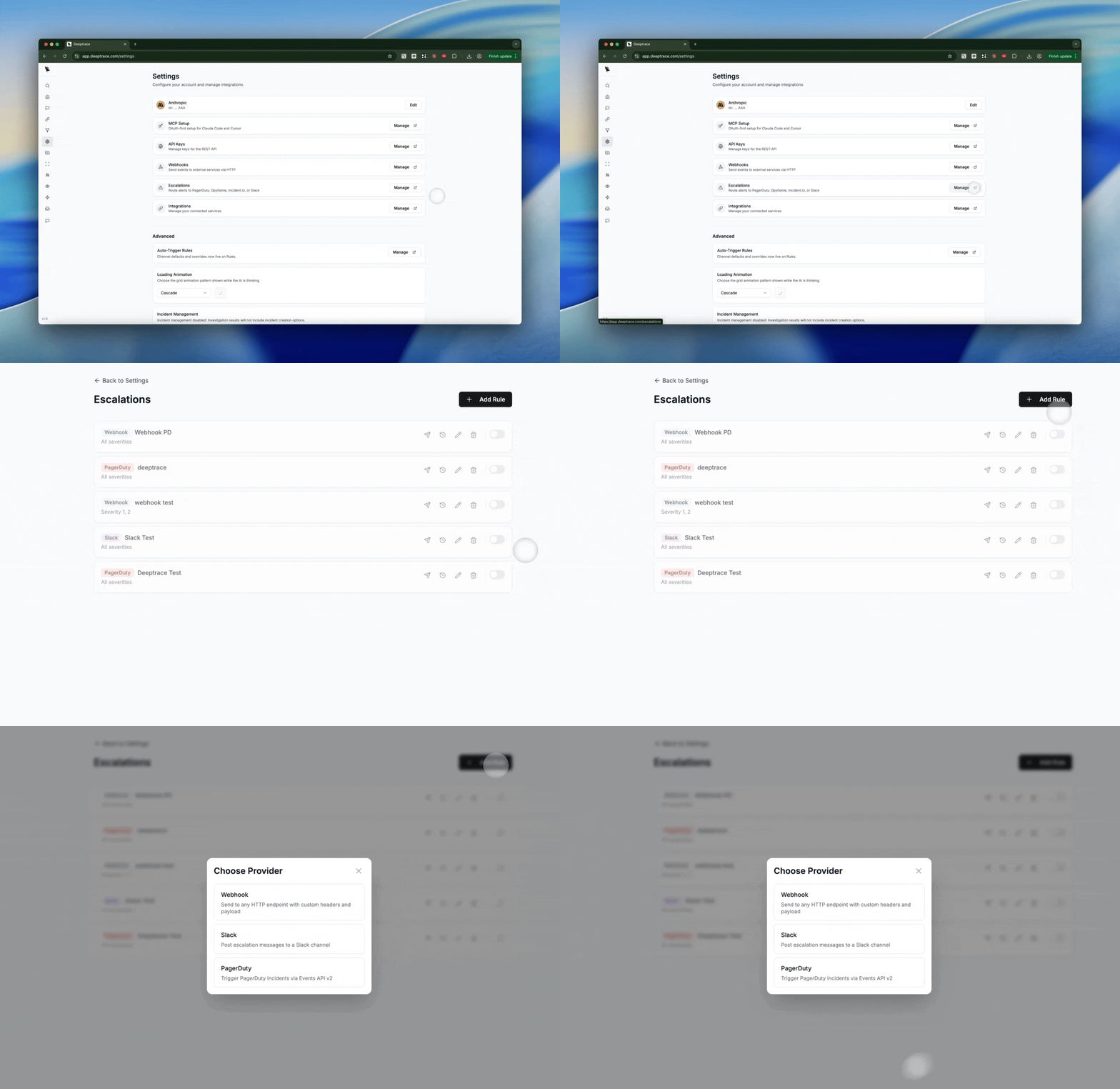 [Escalations](https://app.deeptrace.com/escalations) let you automatically route completed investigation findings to the right people and tools (OpsGenie, Incident.io, PagerDuty, Slack, and more). When an investigation finishes, Deeptrace evaluates your escalation rules and delivers alerts to the providers you've configured — with retry logic, on-call resolution, and full delivery tracking.
Click **Add Rule** to configure a name, event types, conditions (filter by severity, component, etc.), and select a provider, each with its own fields for channels, routing keys, API keys, and message templates.
### Webhooks
[Escalations](https://app.deeptrace.com/escalations) let you automatically route completed investigation findings to the right people and tools (OpsGenie, Incident.io, PagerDuty, Slack, and more). When an investigation finishes, Deeptrace evaluates your escalation rules and delivers alerts to the providers you've configured — with retry logic, on-call resolution, and full delivery tracking.
Click **Add Rule** to configure a name, event types, conditions (filter by severity, component, etc.), and select a provider, each with its own fields for channels, routing keys, API keys, and message templates.
### Webhooks
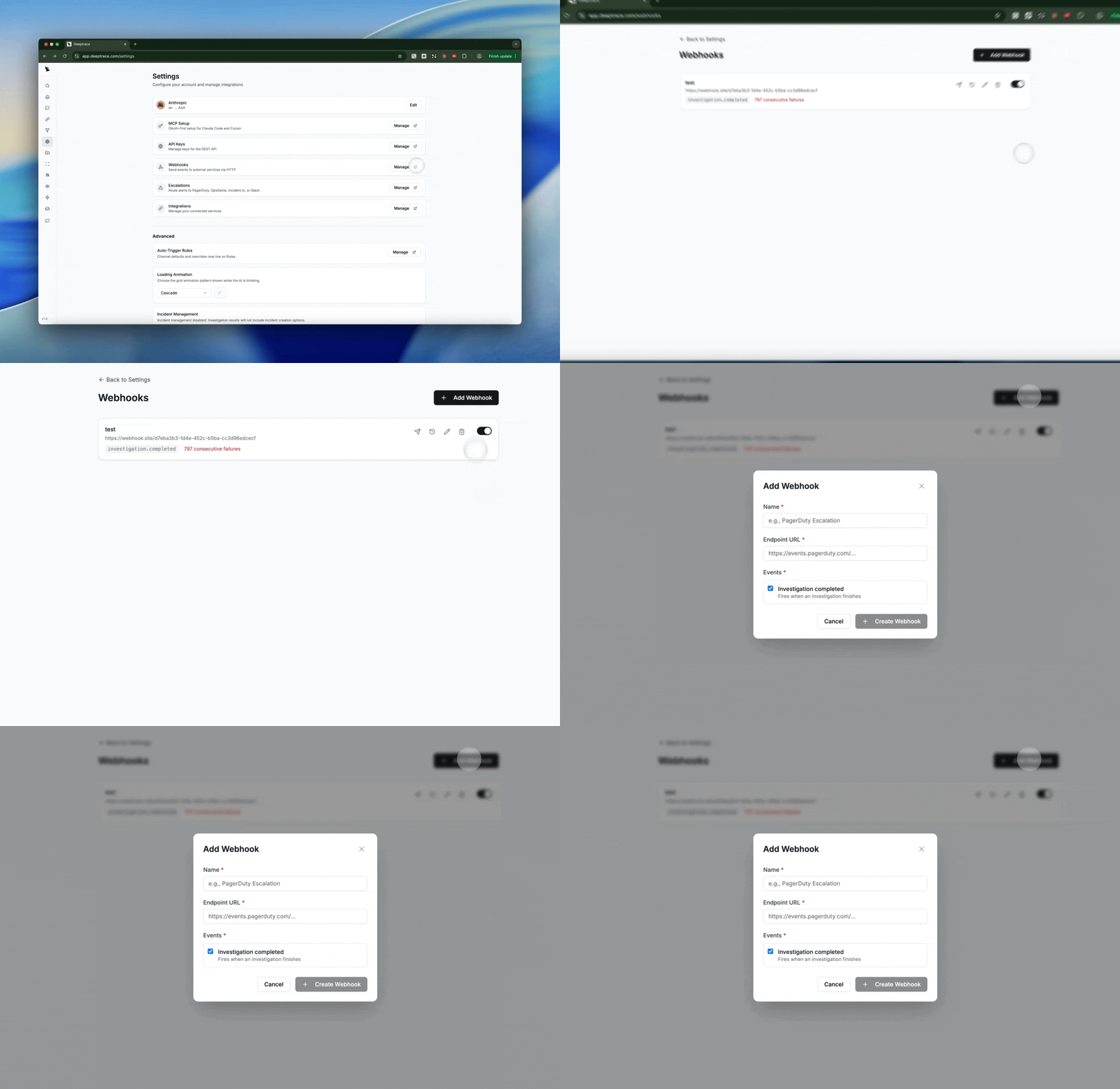 [Webhooks](https://app.deeptrace.com/webhooks) let you push investigation results to any external service in real time. When an investigation completes, Deeptrace sends a signed JSON payload to your configured endpoints — so you can feed results into your own dashboards, ticketing systems, or automation pipelines.
### Issues Page
[Webhooks](https://app.deeptrace.com/webhooks) let you push investigation results to any external service in real time. When an investigation completes, Deeptrace sends a signed JSON payload to your configured endpoints — so you can feed results into your own dashboards, ticketing systems, or automation pipelines.
### Issues Page
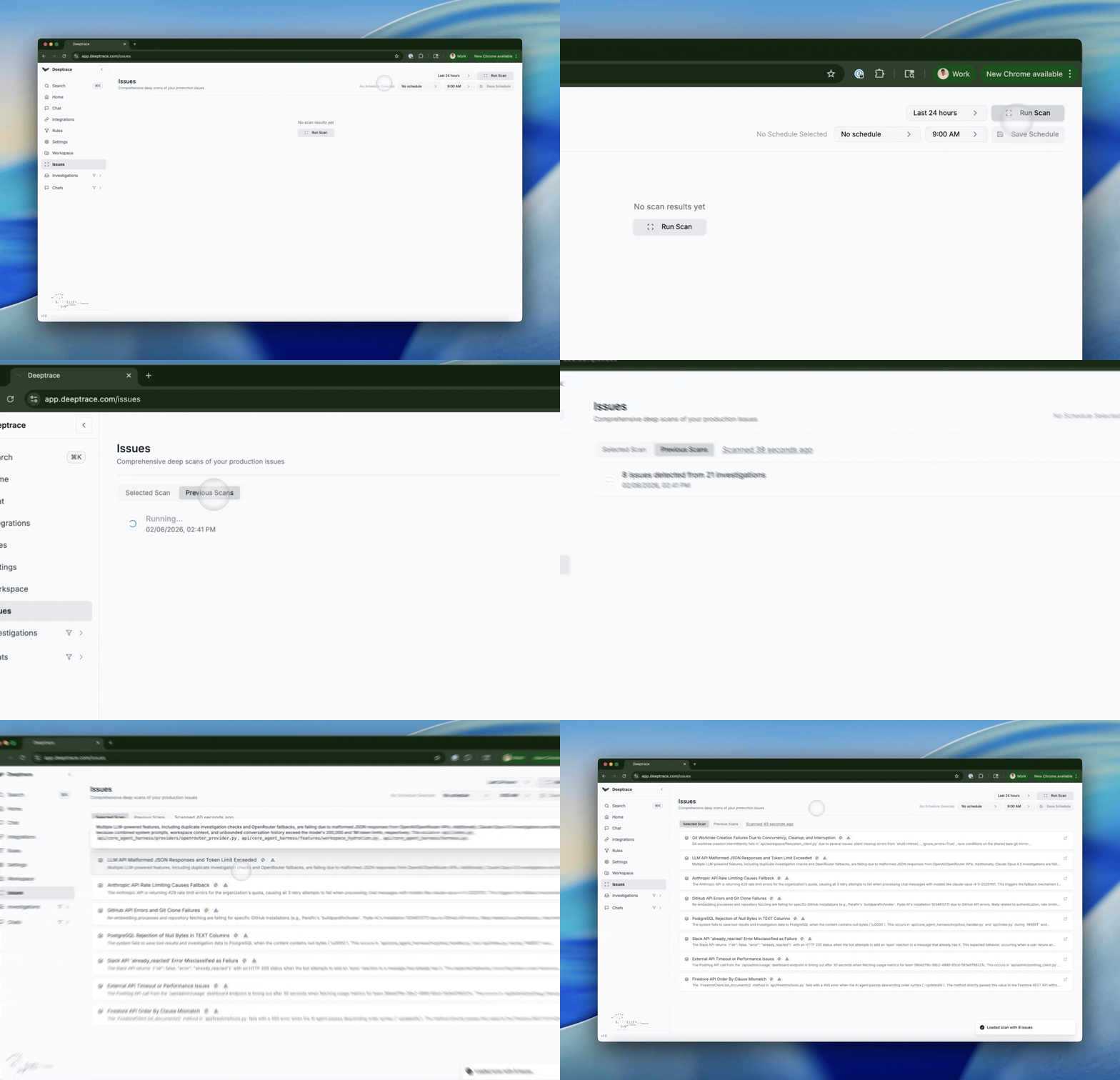 The [Issues](http://app.deeptrace.com/issues) page gives you a system-wide view of what's breaking in production. Use the issues page to proactively surface and prioritize issues in production. Run a scan over your production data to group repeated incidents by severity, track frequency, and generate a concise list of actionable issues. Drill into each issue to view a detailed bug report and linked investigations, and schedule recurring scans to keep a continuously up-to-date view of what's breaking in prod.
**Note**: Issues are generated from time-bounded scans (for example, the last 24–48 hours) and can be scheduled or run on demand to keep your view of production aligned with what's actually happening.
### Suggested Fixes
The [Issues](http://app.deeptrace.com/issues) page gives you a system-wide view of what's breaking in production. Use the issues page to proactively surface and prioritize issues in production. Run a scan over your production data to group repeated incidents by severity, track frequency, and generate a concise list of actionable issues. Drill into each issue to view a detailed bug report and linked investigations, and schedule recurring scans to keep a continuously up-to-date view of what's breaking in prod.
**Note**: Issues are generated from time-bounded scans (for example, the last 24–48 hours) and can be scheduled or run on demand to keep your view of production aligned with what's actually happening.
### Suggested Fixes
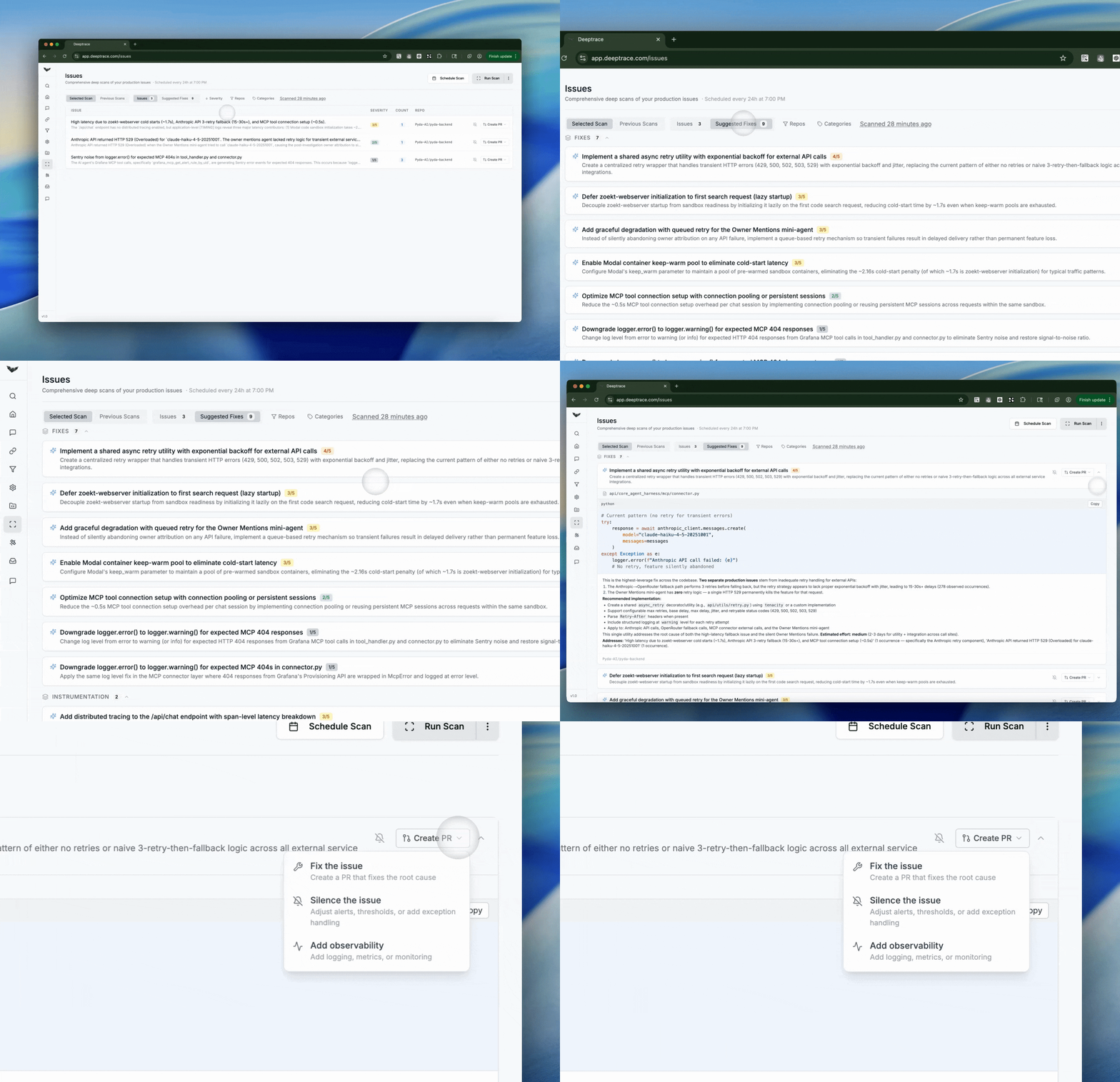 Once a scan is run, click **Suggested Fixes** to explore concrete actions for the surfaced issues. Each suggestion is ranked by impact and proposes a specific change such as creating a PR to fix the issue, adjusting thresholds to silence the issue, or adding observability improvements like logging or monitoring. Acknowledge the gaps in your production system and take action directly with Deeptrace.
### MCP API Keys & API Keys
Once a scan is run, click **Suggested Fixes** to explore concrete actions for the surfaced issues. Each suggestion is ranked by impact and proposes a specific change such as creating a PR to fix the issue, adjusting thresholds to silence the issue, or adding observability improvements like logging or monitoring. Acknowledge the gaps in your production system and take action directly with Deeptrace.
### MCP API Keys & API Keys
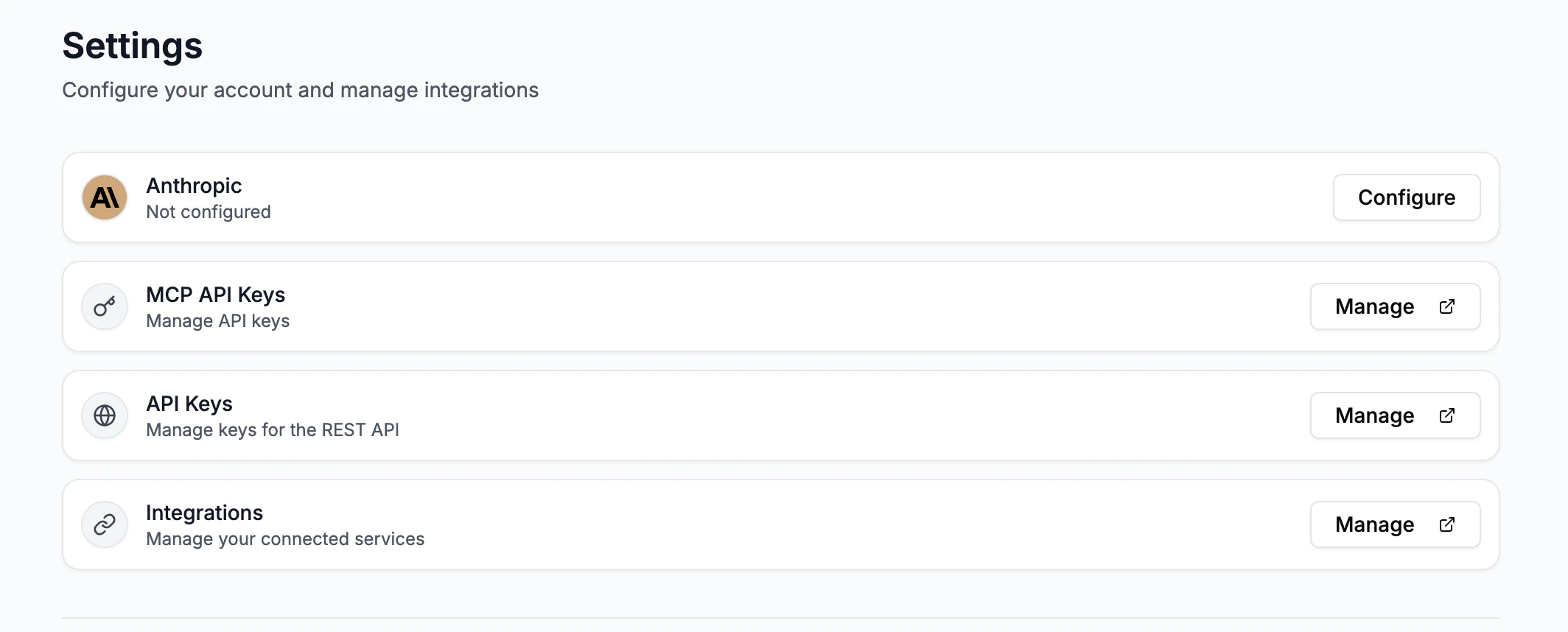 Navigate to the [Settings](http://app.deeptrace.com/settings) page to configure your MCP API Keys and API Keys. Setting up an API key allows you to trigger investigations and fetch results from scripts, services, or CI/CD jobs. With your MCP API key, use Deeptrace from Cursor or Claude Code. This lets the AI run investigations, search past investigations, and fetch investigation details directly inside your editor.
### Investigation Follow-up Chats
Navigate to the [Settings](http://app.deeptrace.com/settings) page to configure your MCP API Keys and API Keys. Setting up an API key allows you to trigger investigations and fetch results from scripts, services, or CI/CD jobs. With your MCP API key, use Deeptrace from Cursor or Claude Code. This lets the AI run investigations, search past investigations, and fetch investigation details directly inside your editor.
### Investigation Follow-up Chats
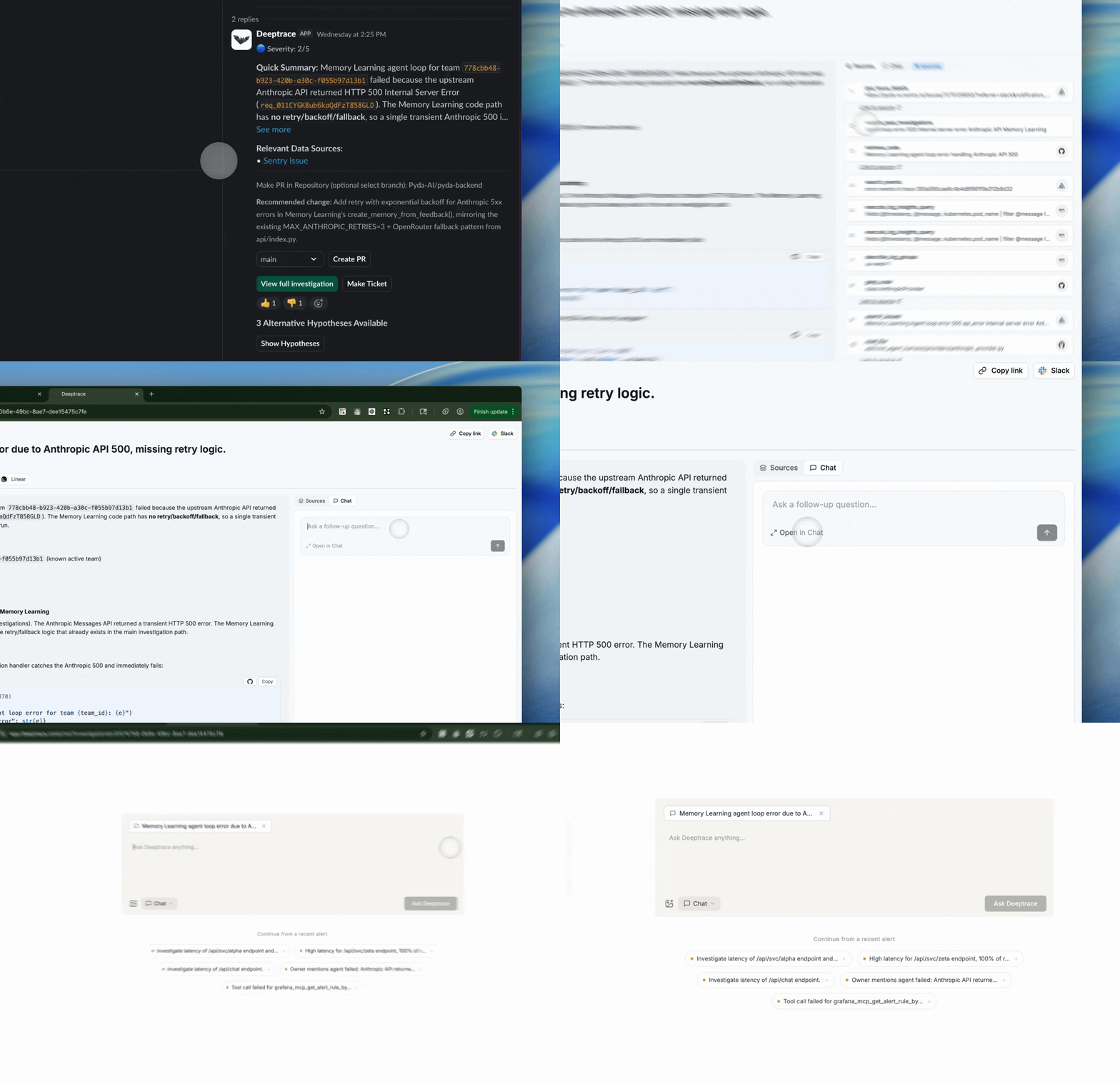 Now you can follow ask follow-up questions directly in investigations or use the investigations as context in chat!
### Workspace Editor
Use the new [Workspace Editor](https://app.deeptrace.com/workspace) to curate custom context that guides Deeptrace's chats and alert investigations. Define best practices for querying observability tools and investigating alerts.
Now you can follow ask follow-up questions directly in investigations or use the investigations as context in chat!
### Workspace Editor
Use the new [Workspace Editor](https://app.deeptrace.com/workspace) to curate custom context that guides Deeptrace's chats and alert investigations. Define best practices for querying observability tools and investigating alerts.
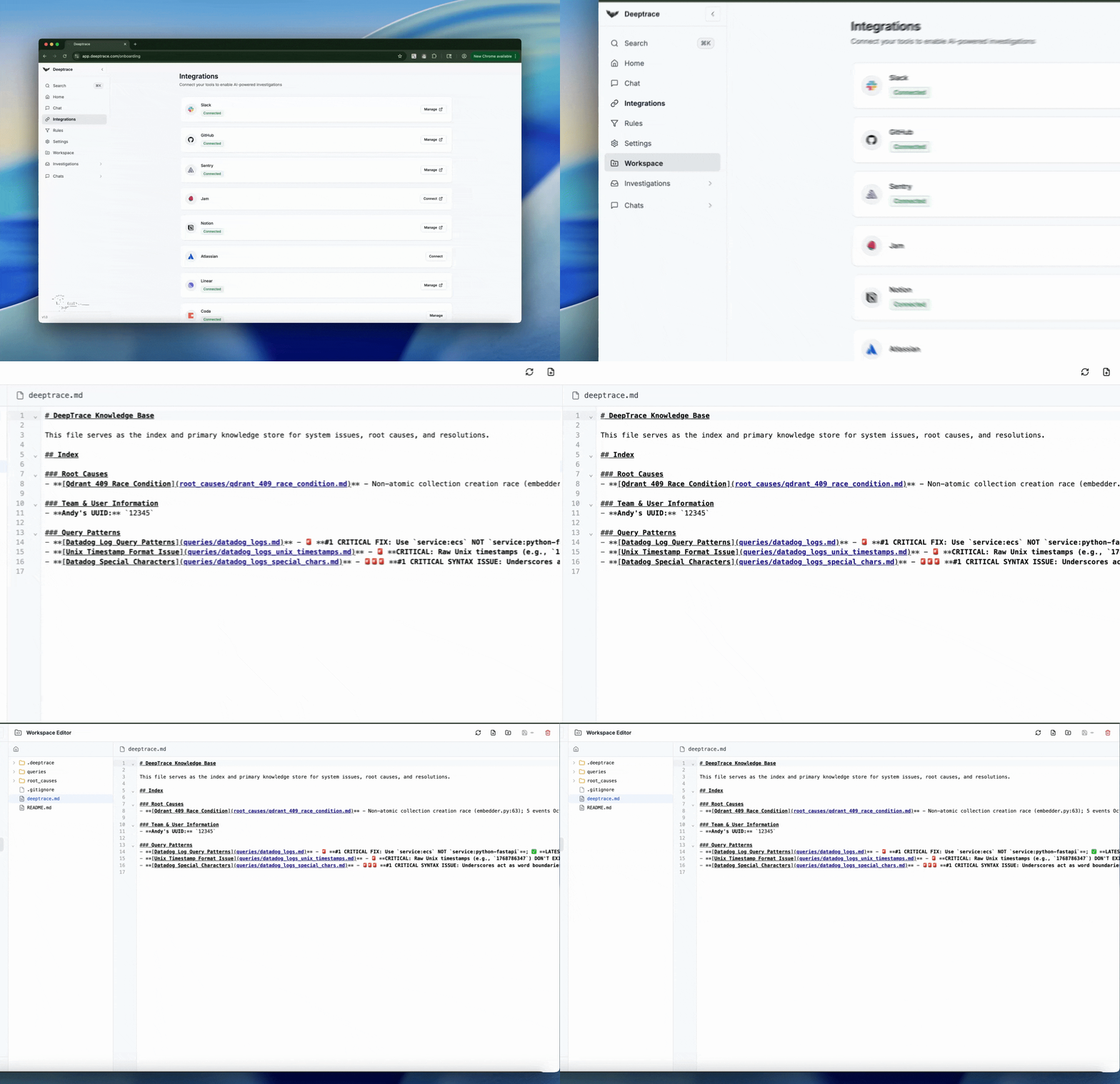 The workspace editor serves as Deeptrace's primary structured knowledge store for system behavior, root causes, and resolutions. Teams can create folders and files to document successful previous root causes, failure patterns, or service relationships. Deeptrace is automatically scanning your system to supplement context which you can refine or collaborate on in the workspace editor. The agent treats the workspace editor as high-signal, durable context that shapes its reasoning across all future investigations.
Tip: We recommend keeping the DEEPTRACE.md file concise and human-readable. Too much context can slow down and distract investigations.
## Memories
Deeptrace's memory system creates a durable, structured record to gain a deeper understanding about your system.
The workspace editor serves as Deeptrace's primary structured knowledge store for system behavior, root causes, and resolutions. Teams can create folders and files to document successful previous root causes, failure patterns, or service relationships. Deeptrace is automatically scanning your system to supplement context which you can refine or collaborate on in the workspace editor. The agent treats the workspace editor as high-signal, durable context that shapes its reasoning across all future investigations.
Tip: We recommend keeping the DEEPTRACE.md file concise and human-readable. Too much context can slow down and distract investigations.
## Memories
Deeptrace's memory system creates a durable, structured record to gain a deeper understanding about your system.
 The agent maintains a file-system memory layer that evolves as new investigations occur. In the background, Deeptrace automatically runs specialized sub-agents analyzing prior issues to continuously refine Deeptrace's understanding of your services. During investigations, these memories are surfaced in real time to help Deeptrace reason more accurately and adapt as your system changes.
Tip: For high-signal feedback, provide the correct root cause in a reply. Deeptrace captures this information and uses it to improve future investigations.
## Codesearch
Deeptrace's Codesearch enables the agent to semantically understand and navigate your codebase and logs.
The agent maintains a file-system memory layer that evolves as new investigations occur. In the background, Deeptrace automatically runs specialized sub-agents analyzing prior issues to continuously refine Deeptrace's understanding of your services. During investigations, these memories are surfaced in real time to help Deeptrace reason more accurately and adapt as your system changes.
Tip: For high-signal feedback, provide the correct root cause in a reply. Deeptrace captures this information and uses it to improve future investigations.
## Codesearch
Deeptrace's Codesearch enables the agent to semantically understand and navigate your codebase and logs.
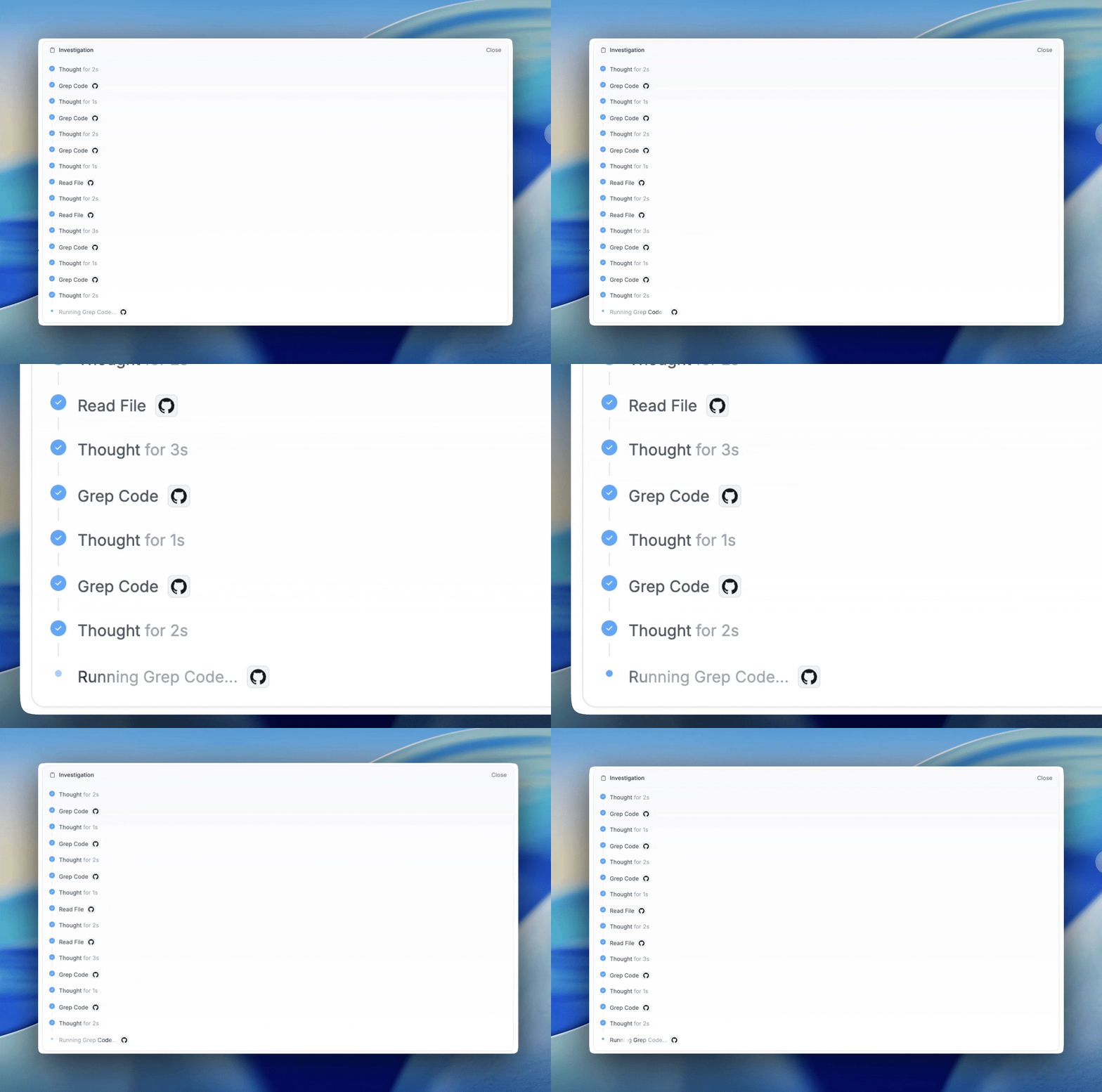 We've introduced Claude code-style tools that allow the agent to more effectively search and reason through stack traces. These improvements result in clearer evidence trails that connect alerts and logs directly to specific files and lines of code, enabling more precise remediation suggestions scoped to the right parts of your system.
## BYO MCP
Deeptrace now supports [BYO MCP](https://app.deeptrace.com/onboarding), allowing teams to integrate custom tools, data sources, and workflows beyond our native integrations.
We've introduced Claude code-style tools that allow the agent to more effectively search and reason through stack traces. These improvements result in clearer evidence trails that connect alerts and logs directly to specific files and lines of code, enabling more precise remediation suggestions scoped to the right parts of your system.
## BYO MCP
Deeptrace now supports [BYO MCP](https://app.deeptrace.com/onboarding), allowing teams to integrate custom tools, data sources, and workflows beyond our native integrations.
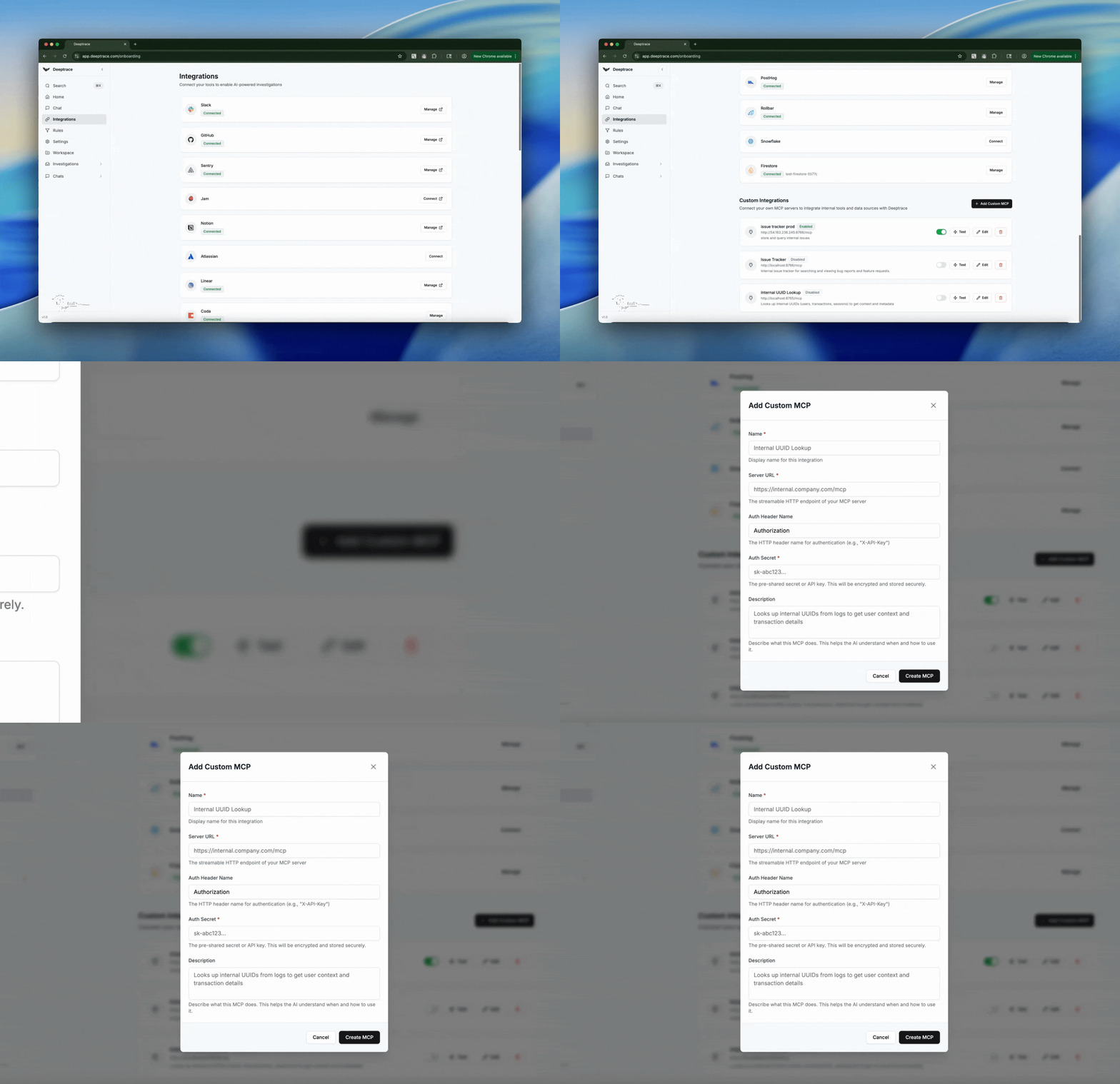 Connect any streamable HTTP MCP by simply providing its URL along with a header name and value for authentication. Once connected, these capabilities become first-class tools that Deeptrace can actively use throughout investigations, so the agent works naturally with your existing systems and internal tooling.